Recording
Record your first book
The whole thing is a book, a page and a red button. Here's the walk from an empty shelf to a published recording.
-
Put a book on the shelf
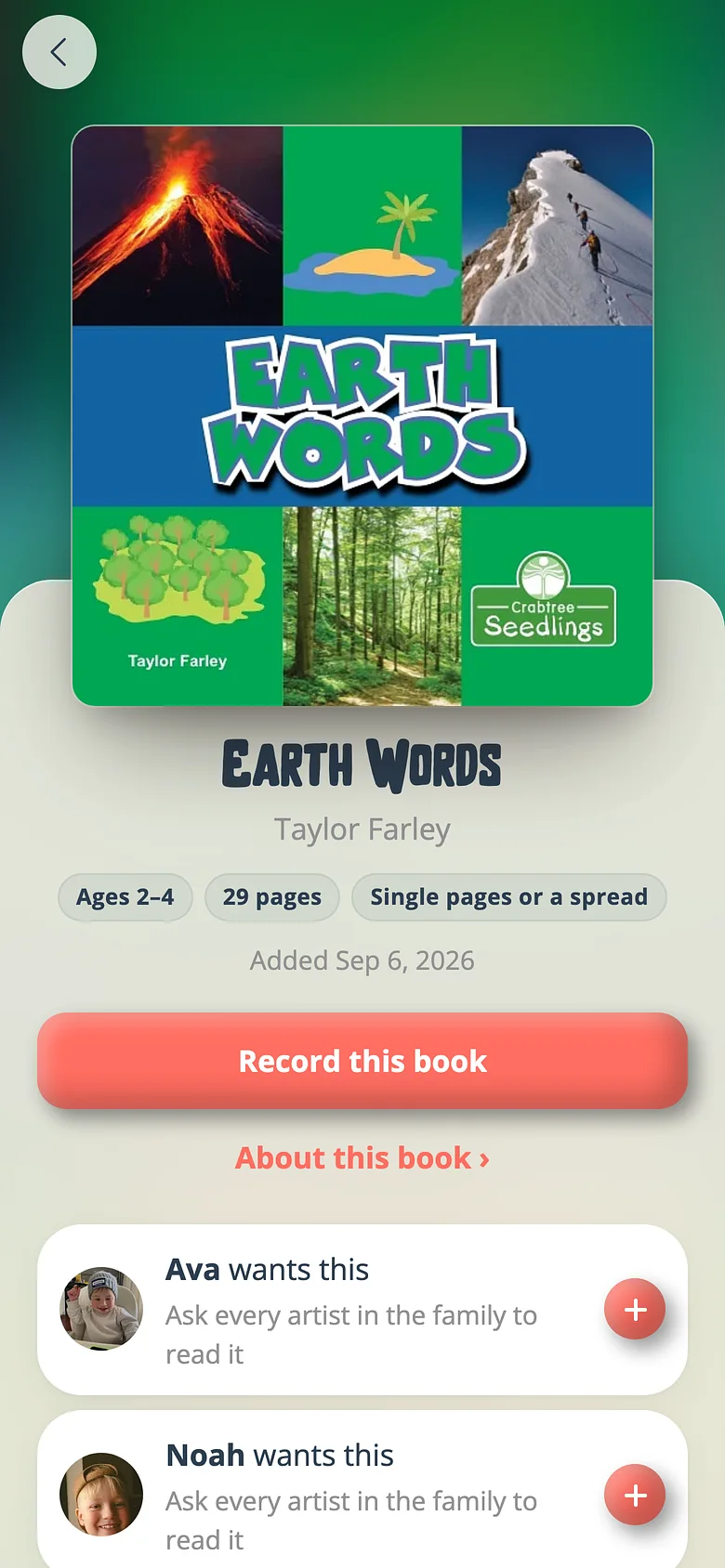
Open the Library and tap a book from the catalog. As an admin you can press Record this book straight away — it shelves the book on the way in. -
Say who it's for
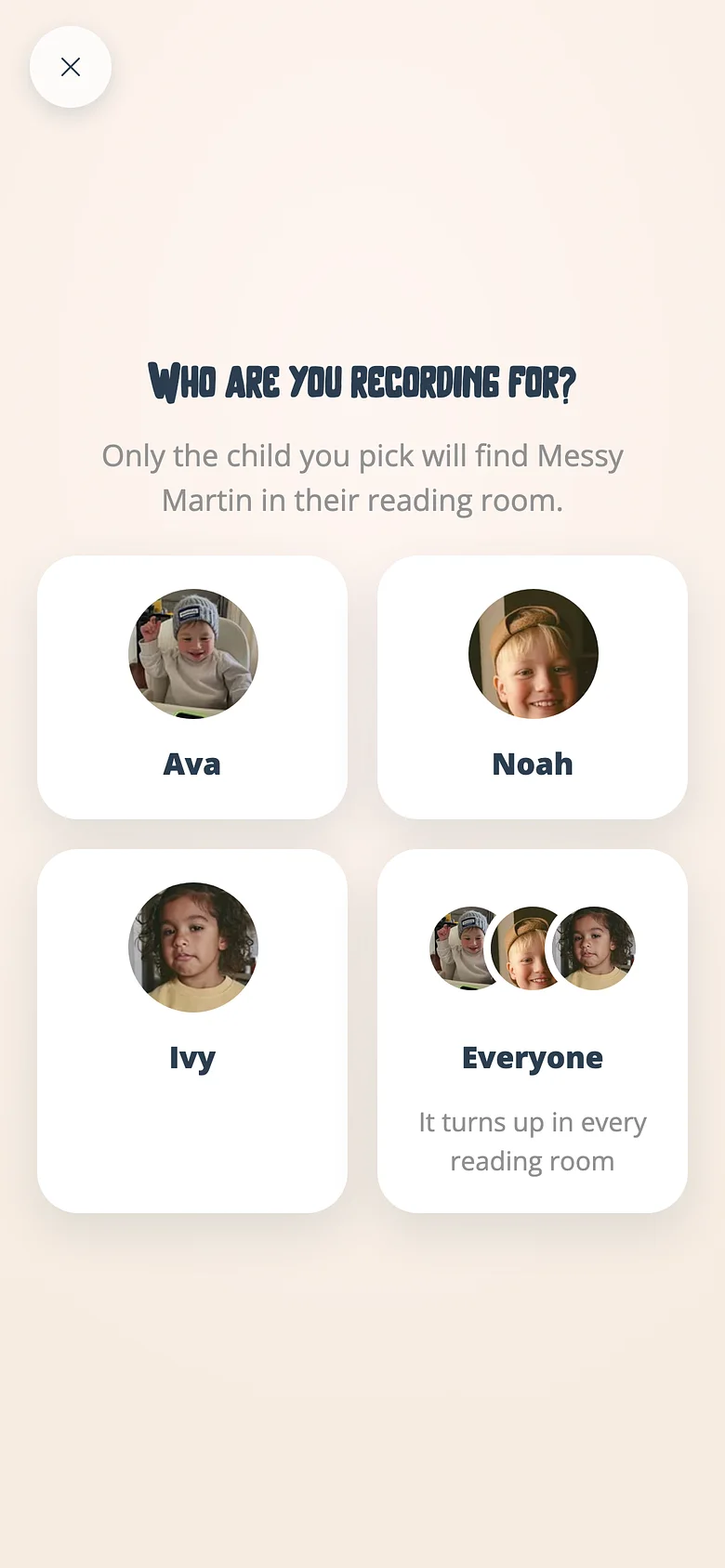
The studio asks first. Pick one child and the recording lives on their shelf with their name in it; pick everyone and it's the family's. -
Read the page
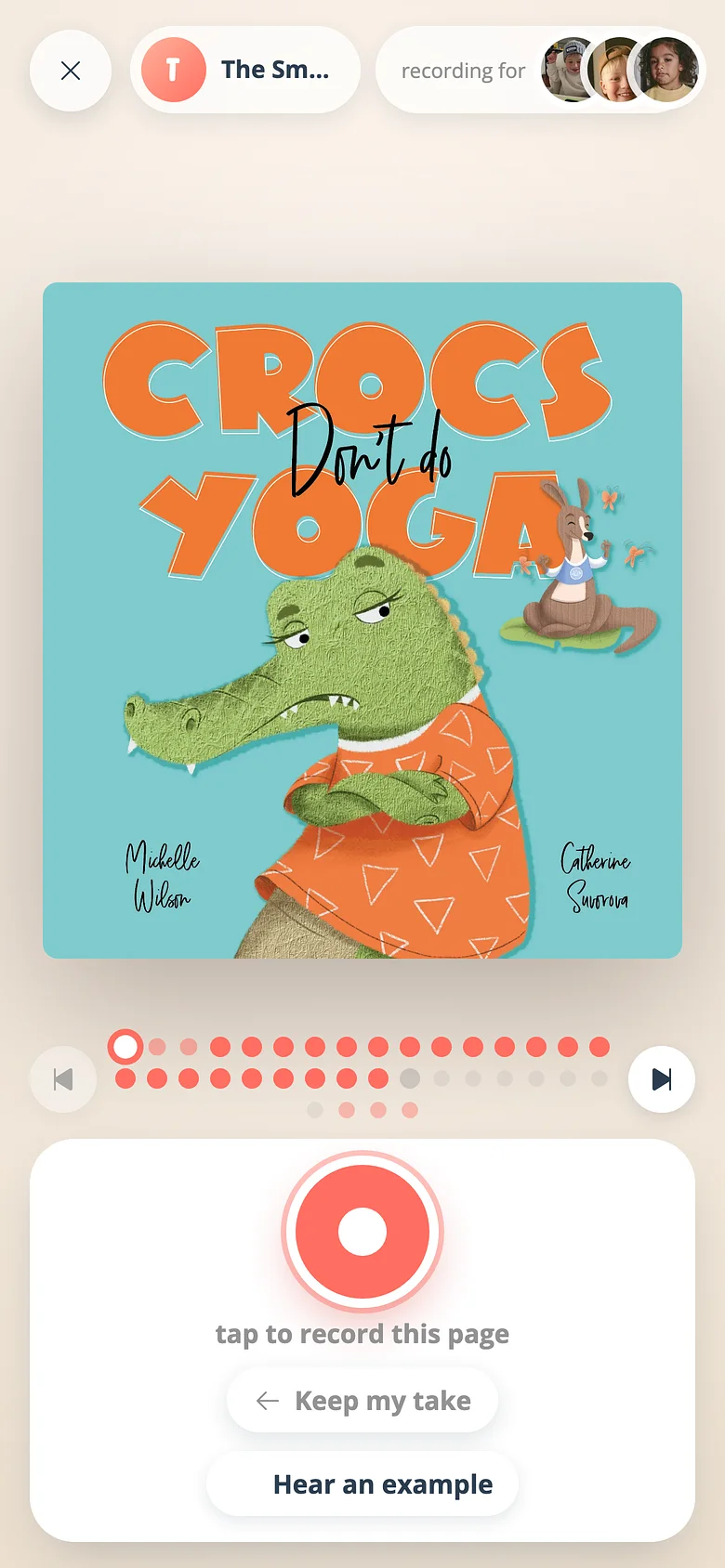
Press the red button. The microphone is asked for, then the countdown, then you read. Stop when the page is done. -
Keep it or try again
It plays straight back. Keep & next turns the page. The record button records over it. A take you haven't decided on wears a ring in the dot row until you do. -
Publish
When every page has a kept take, the book is finished. Publish it and it's on the shelf that night; the child you read to is told.
Good to know
- You don't have to finish in one sitting. Kept pages stay kept; come back tomorrow.
- Not sure how to read a page? Hear an example plays a family member's take, or another family's, then hands the microphone back.
Next
Record a book for a specific child
Every recording starts with one question. Most people miss it. Here's what it changes.
Read the guideRetake a page
Fluffed the last line? Record that one page again. Every other kept take stays exactly as it was.
Read the guideHear an example before you read a page
Not sure how the page goes? One tap plays a finished take of it, then hands the microphone back.
Read the guideTry it with a real book
Free to start. The first page takes a minute.