Skip to content

Your family

Add a child's profile

A child is a first name and a photo. No email, no password, nothing asked of them.
About 1 min 3 steps PhoneDesktop
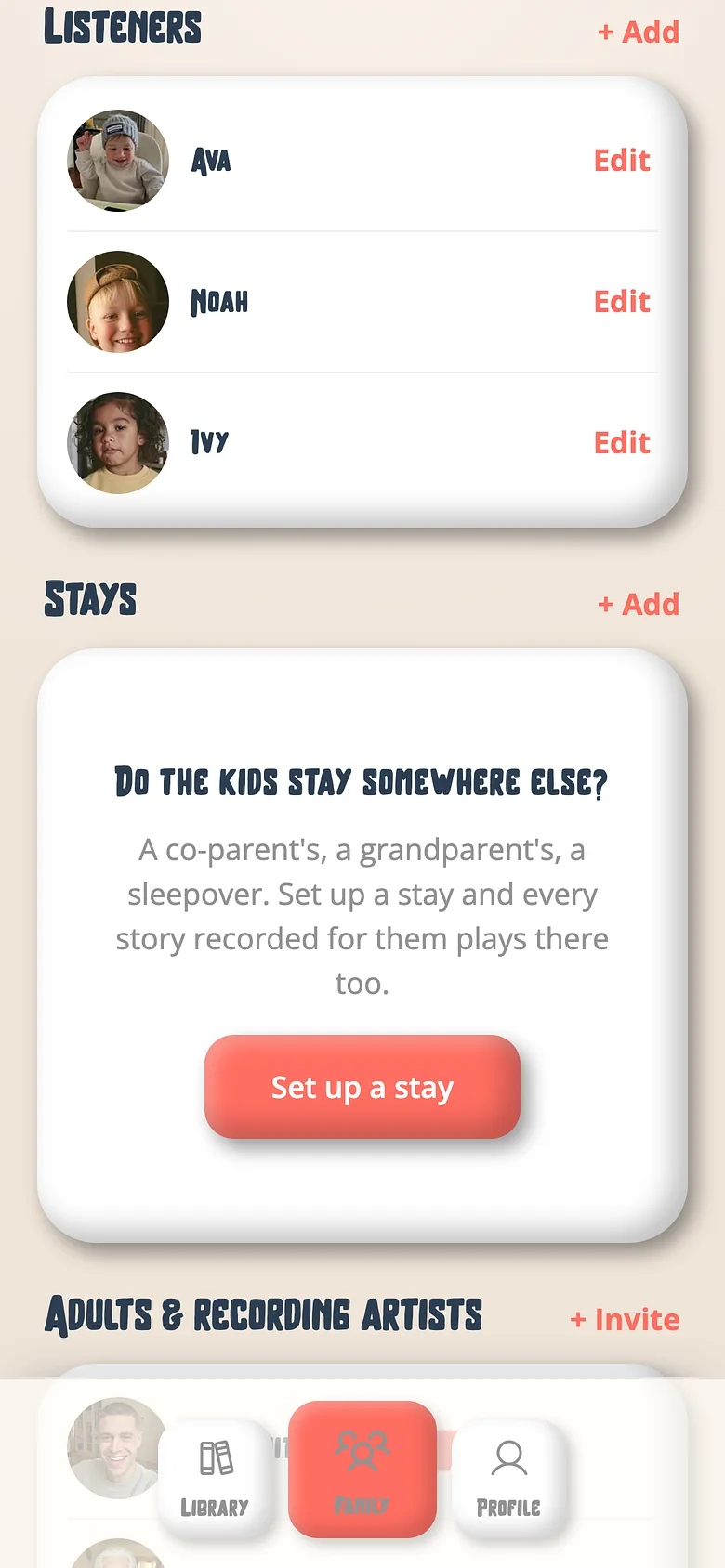
The Voicebooks Family tab listing the children who listen
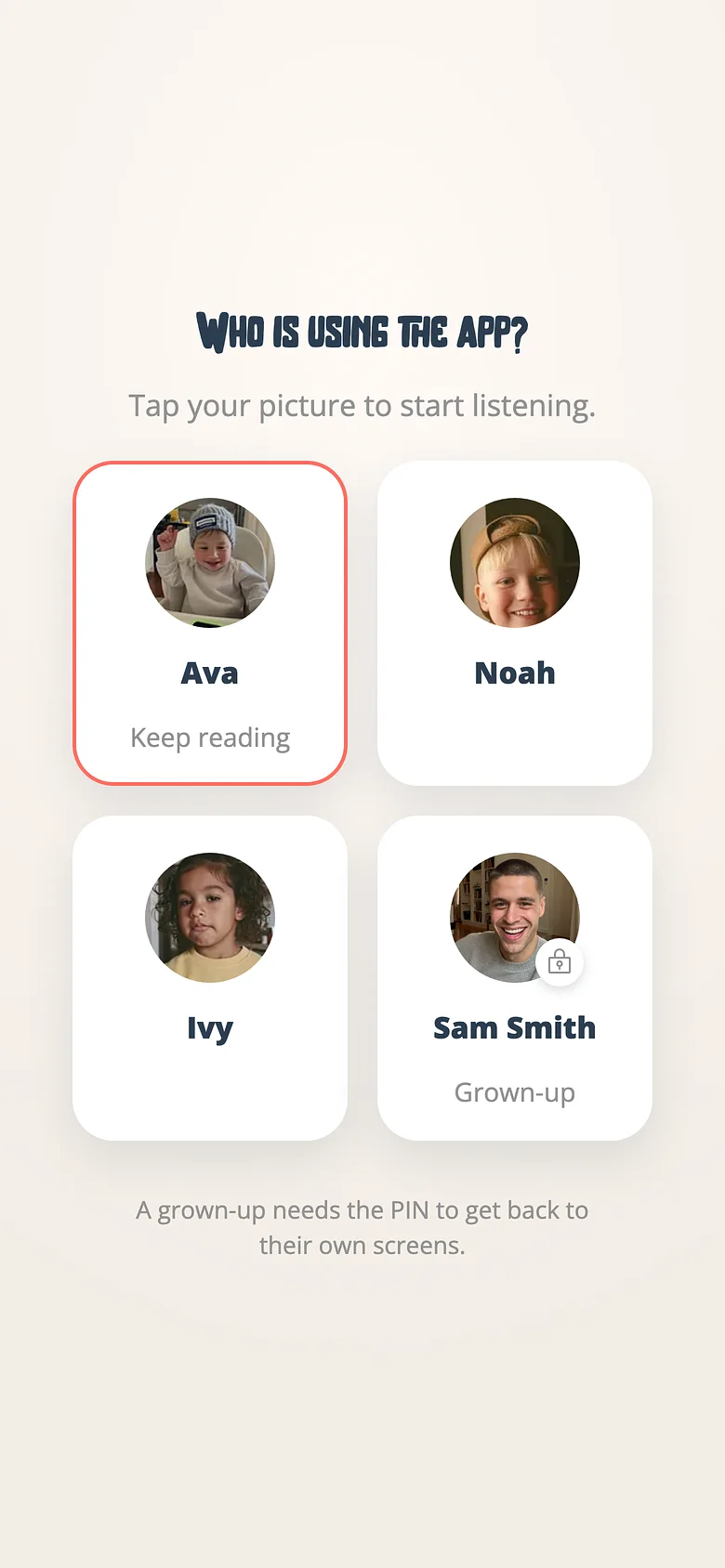
The Voicebooks profile chooser where a child picks their own name
  1. Open the Family tab

    Kids are listed first.
    The Voicebooks Family tab listing the children who listen
  2. Add a kid

    Their first name, and a photo if you like — framed in the round window before it uploads.
    The Voicebooks Family tab listing the children who listen
  3. Let them choose themselves

    The app opens on the profile chooser. They tap their name and see their own shelf and their own voices.
    The Voicebooks profile chooser where a child picks their own name

Good to know

  • Listeners are unlimited on every plan.

Try it with a real book

Free to start. The first page takes a minute.

Two Voicebooks mascots — a grown-up and a child — side by side, smiling